
Step One: Place Your Order
- Go to the Order Page for the Business Starter Plan.
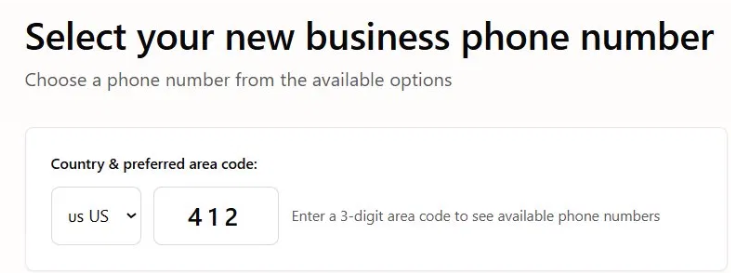
- A phone number will be recommended for you automatically.
- To choose a different number, enter a 3-digit area code in the area code field and select from the available options.
- Want to keep your existing number? You can submit a port request through your portal after your service is active. Make sure your number stays active during the process. Porting typically takes 7 to 10 business days.
How to Submit a Port Request Through the Portal
- To choose a different number, enter a 3-digit area code in the area code field and select from the available options.
Step Two: Choose Your Plan
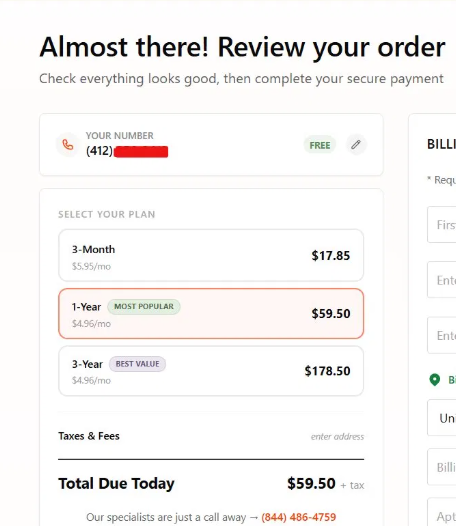
Select the billing term that works best for you:
- 3-Month – $17.85 ($5.95/mo)
- 1-Year – $59.50 ($4.96/mo) (Most Popular)
- 3-Year – $178.50 ($4.96/mo) (Best Value)
Step Three: Enter Your Billing Information
Fill in all required fields before completing your purchase:
✅ First and Last Name ✅ Email Address ✅ Mobile Number ✅ Billing Address (must be within the United States) ✅ Card Information
💡 Note: Your billing address must be a valid US address. 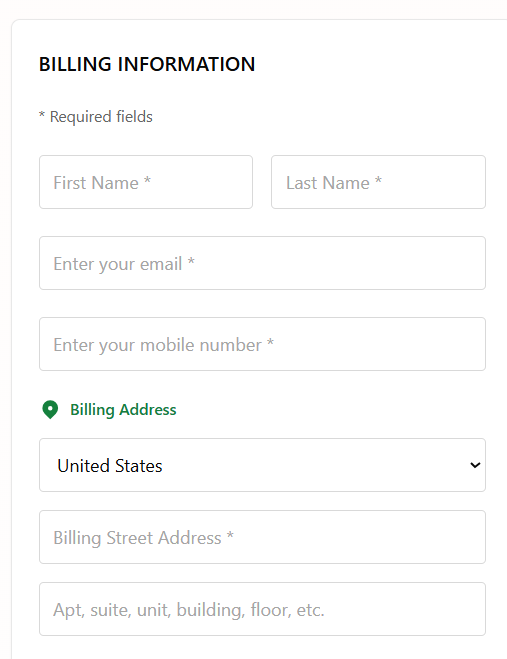
Step Four: Review and Complete Your Order
- Review your selected number and plan in the order summary.
- Taxes and fees will be calculated once you enter your billing address.
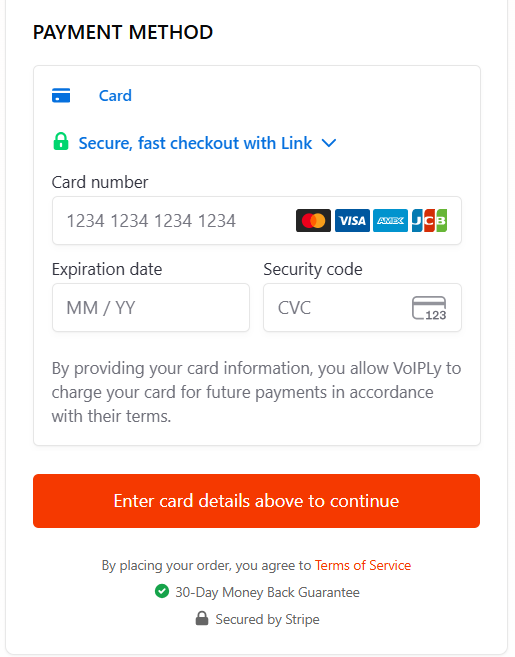
- Click the button to complete your purchase.
- Your order is covered by Voiply's 30-Day Money Back Guarantee. 🛡️
- Payment is processed securely through Stripe.
Step Five: Log In to Your Portal
Once your order is complete, your account is ready. Here is how to access it:
- Go to voiply.com/portal.
- Enter your Voiply phone number and click Continue.
- Check your email for a Magic Link and click it to log in.
- You will land on a welcome screen confirming your Business Starter plan.
- Click Go to Dashboard to start managing your service.
💡 Note: There is no password to set up. The Magic Link is how you log in each time you need to access your portal. For a full walkthrough, see How to Log In to Your Voiply Portal.
Next Steps
🎯 Learn how to navigate your portal: 👉 Understanding the Admin Portal Interface - Starter Plan
For help at any point, reach out to Voiply Support! 🎧📞