
What This Feature Does
-
Lets you block specific phone numbers from calling your Voiply line
-
Blocked callers will no longer ring your phone
-
Blocking is managed directly in your Voiply portal
Good to know:
At this time, blocked numbers cannot be removed by customers from the portal. If you need a number unblocked, our support team can help.
How to Block a Number
-
Log in to your Voiply Customer Portal
-
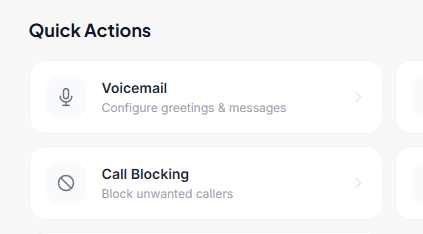
On the main dashboard, locate the Quick Actions section
-
Find Call Blocking.
-
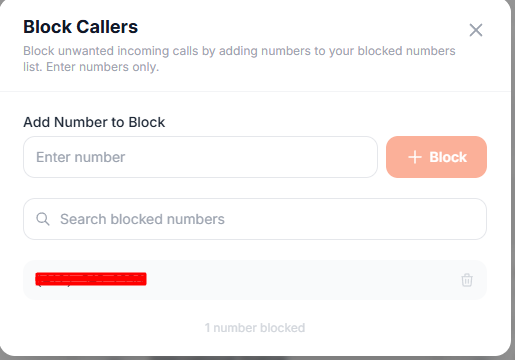
This opens the Call Filtering window.
-
Under Block Callers, click inside the Enter Number field
-
Type the phone number you want to block
-
Enter numbers only
-
-
Click Block.
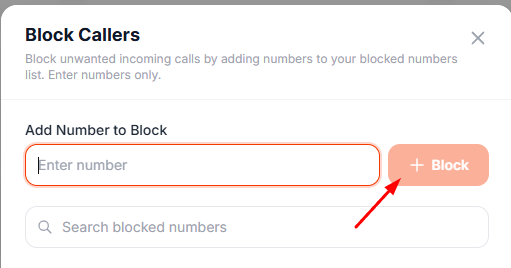
The number will immediately appear in your blocked list, and calls from that number will no longer ring your phone.
Need to Unblock a Number?
No problem. While self-removal is not available yet, our team can take care of it for you.
-
Contact Voiply Support
-
Let us know which number you’d like removed from the blocked list
-
We’ll handle the rest
Helpful Tips
-
Double-check the number before adding it
-
Blocked numbers apply immediately
-
This feature is currently available for residential accounts