
Getting started with Voiply Parked Lines
How to order Number Parking, and what to do after you check out.
1. Enter the number you want to park
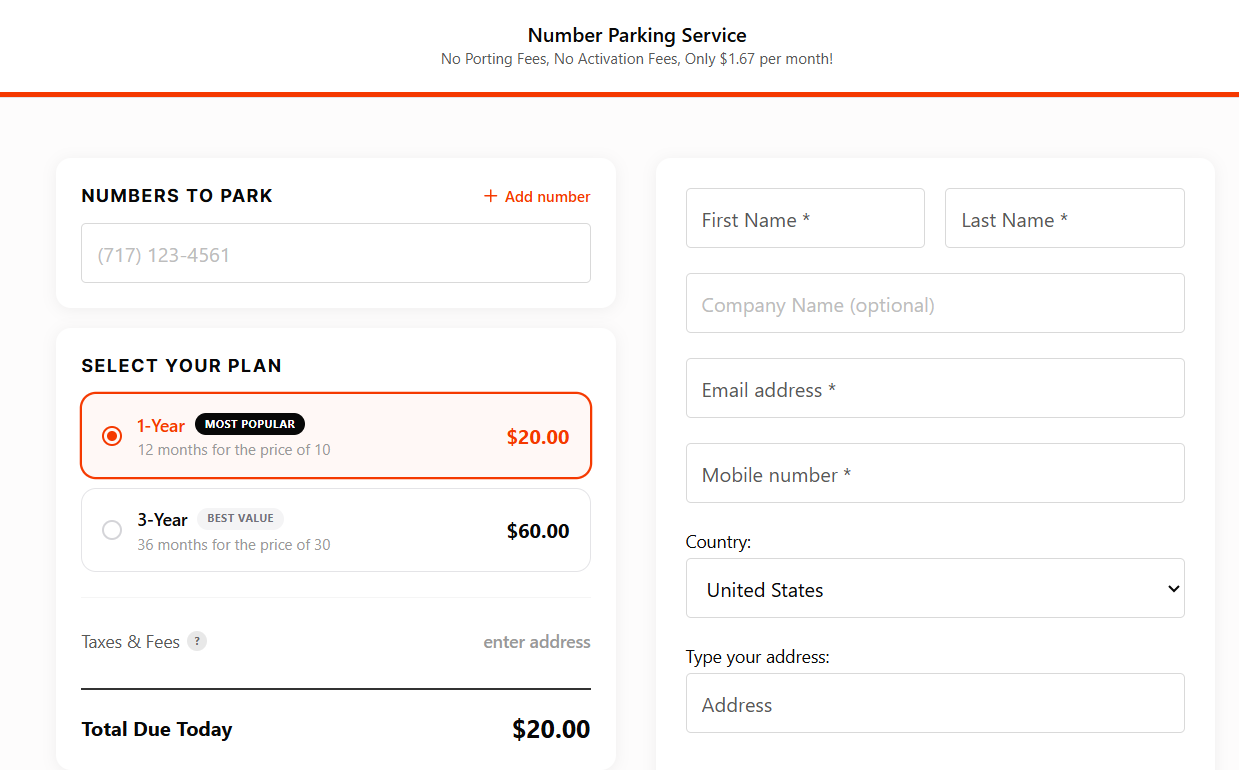
In the Numbers to Park field, type the phone number you want to keep. We'll check that it can be transferred to Voiply. To park more than one number, click + Add number. You can add up to 5 numbers at checkout, and more after your purchase.
2. Select your plan
Choose a 1-Year or 3-Year plan.
- 1-Year: $20.00 (12 months for the price of 10)
- 3-Year: $60.00 (36 months for the price of 30)
3. Complete your order
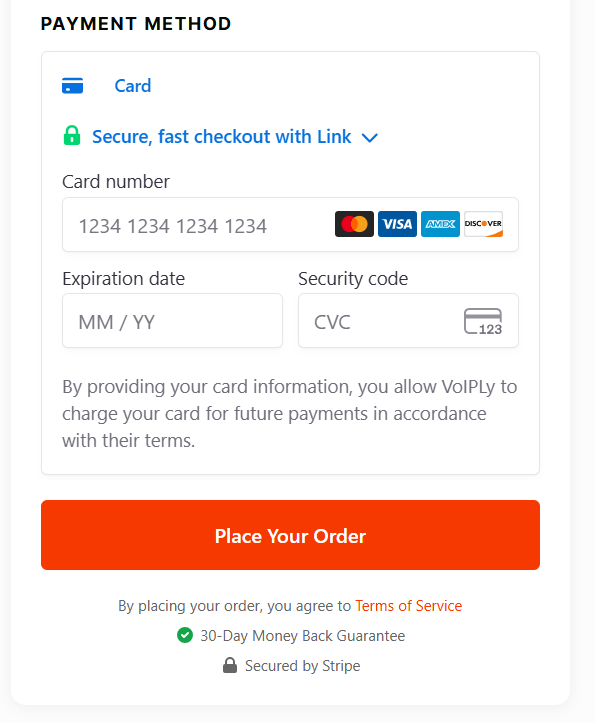
Fill in your first and last name, email address, mobile number, and billing address. Then enter your card under Payment Method and click Place Your Order.
4. Send us your transfer details
After you pay, the confirmation page asks for the details we need to move your number to Voiply: the name on your current account, your account number, and a transfer PIN if you have one. It takes about 2 minutes, and it lets us start your transfer right away. You can also click I'll do this later.
To learn where to find these details, see Porting Your Number to Voiply.
5. Sign in to your portal
You'll get a confirmation email. To manage your parked number, sign in at voiply.com/portal (opens in a new tab) with your Voiply phone number. We'll email you a sign-in link, so there's no password to create. See How to Access Your Voiply Park Portal.
Questions? See Contact Voiply Support.
Did this answer your question?
Glad it helped.
Try one of these next: