
Starter - Setting up the Voiply Mobile App
This guide will walk you through how to install and log in to the Voiply Mobile App on your Android or iOS device.
Step 1: Install the Voiply Mobile App
Before logging in, you'll need to install the Voiply Mobile App on your device:
- Android: Download on Google Play
- iOS (Apple): Download on the App Store
You can also download directly from your Voiply Residential Portal. Log in and navigate to the Voiply Mobile App section, then tap the App Store or Google Play tile.
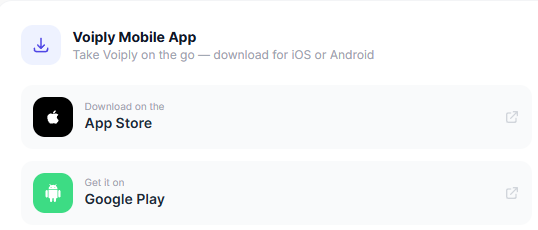
Once installed, proceed to the next step.
Step 2: Get Your QR Code from the Voiply Starter Portal
You will need a QR code from your Voiply Starter Portal to log in. Follow these steps to retrieve it:
- Log in to your Voiply Residential Portal.
- Navigate to the Voiply Mobile App section.
- Click the Generate QR Code button.
- Your QR code will appear on screen. Scan it right away. Generating a new QR code resets your app login, so do not close or refresh the page before scanning.

Step 3: Log In to the App
Android
- Open the Voiply Mobile App.
- Tap Existing Customers? Scan QR Code on the login screen.

- Use your phone's camera to scan the QR code from your Voiply Residential Portal.
- Tap Allow All to enable cookies.
- Tap Agree to accept the Terms of Service.

- You will be taken to the dial pad. Your Voiply Residential service is now active!
iOS
There are two ways to log in on iOS. Choose the option that works best for you.
Option A: QR Code
- Open the Voiply Mobile App on your iPhone.
- On the Get Voiply on Mobile screen, tap Scan QR Code.

- A prompt will appear asking for camera access. Tap Allow.

- Point your camera at the QR code from your Voiply Residential Portal.
- Once the code is scanned, you will see a "You're all set!" confirmation screen. The app will open automatically.

Option B: Magic Link
If you prefer not to use a QR code, you can log in using a Magic Link sent to your email.
- Open the Voiply Mobile App on your iPhone.
- On the Get Voiply on Mobile screen, enter your Voiply phone number and tap Continue.
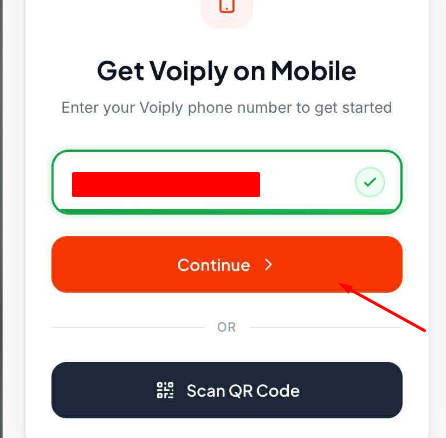
- A sign-in link will be sent to the email address on your Voiply account.
- Open that email and tap Sign in link. You can also copy and paste the link into your browser.
- The link expires in 1 hour and can only be used once.
- The app will verify your identity. Once confirmed, you will see a "You're all set!" screen.
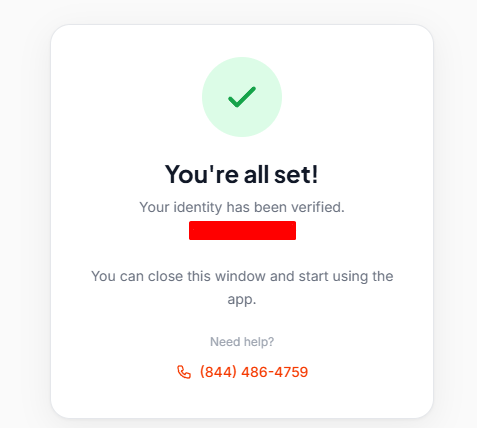
- Close the browser window and return to the app. You are now logged in and ready to go!
Need help? Visit our Support Center or call us at (844) 843-4175.