
Request Your Magic Link
- Go to https://fax.voiply.com/.
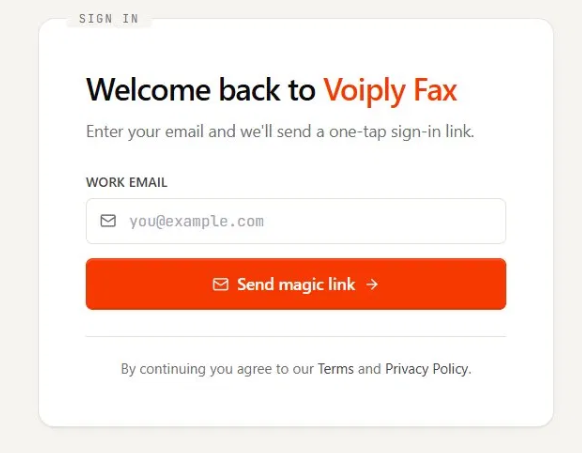
- In the Work Email field, enter the email address on your Voiply Fax account.
- Click Send magic link.
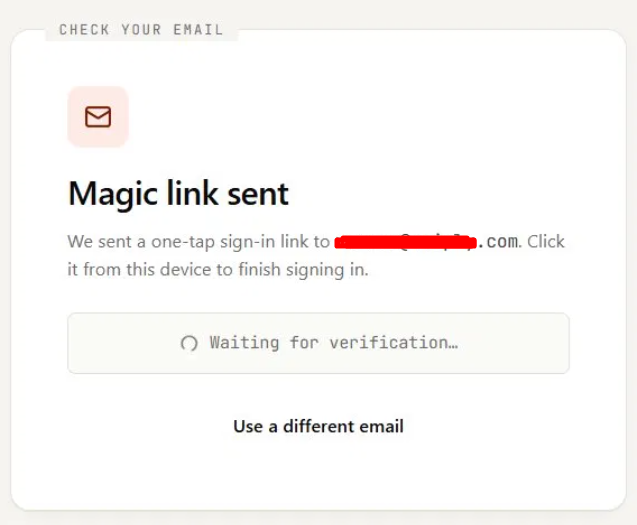
- You'll see a Magic link sent screen letting you know the link is on its way. Leave this tab open while you go get the link. If you typed the wrong address, click Use a different email to start over.
Open the Link to Finish Signing In
- Open your email inbox on the same device and find the message from Voiply Fax.
- Click the magic link in the email. Be sure to open it on the same device and browser where you requested it.
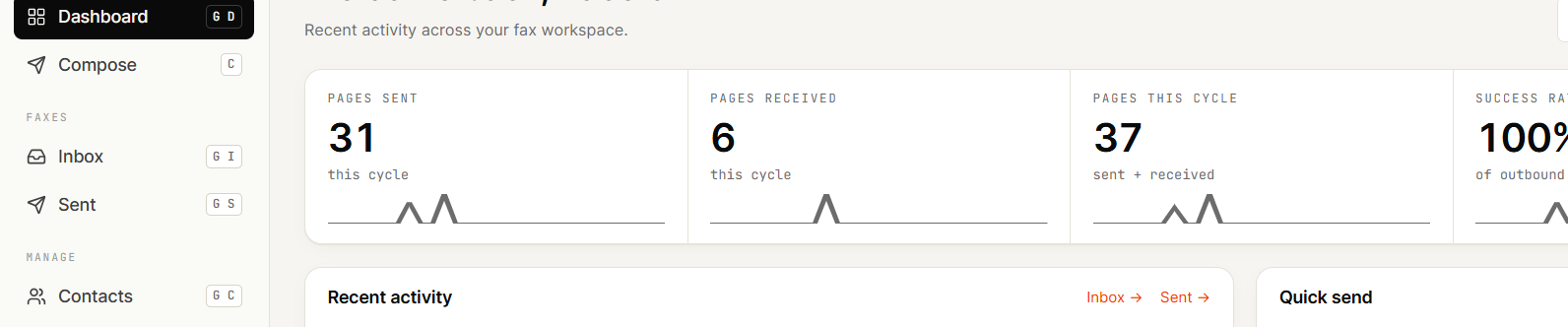
- The Voiply Fax app opens and brings you to your Dashboard. You're all signed in.
Helpful Tips
- No password needed. Each time you sign in, you'll use a fresh one-time link.
- Your magic link expires after 1 hour and can be used only once. If it expires or you've already used it, just request a new one from fax.voiply.com.
- Open the link on the same device and browser you used to request it. For example, if you asked for the link on your computer, open your email and click the link on that same computer.
- Didn't get the email? Check your spam or junk folder first. If it's still not there, go back to fax.voiply.com and request another link.
- Make sure you're using the email address tied to your Voiply Fax account.
Need Help?
We're here for you. Reach out anytime: