
If you have requested to port your number to Voiply, you can check the status of your request by following these steps:
Step 1: Log in to Your Account
Log in to your Voiply account portal by visiting this link.
Step 2: Navigate to the Porting Status Section
- Locate the three-dot navigation indicator below the status cards.
- Click on the second dot to access the Number Porting Status section.
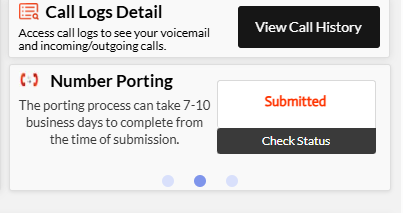
Step 3: Check Your Porting Status
In this section, you will see the progress of your number port request. Your status may show one of the following:
- Submitted – Your request has been received.
- Rejected – There was an issue with the request; further action may be needed.
- FOC Date (Firm Order Commitment Date) – Your port is scheduled for activation.
- Completed – Your number has been successfully ported.
Step 4: View Detailed Updates
For more information, click "Check Status" to see detailed updates on your port request. 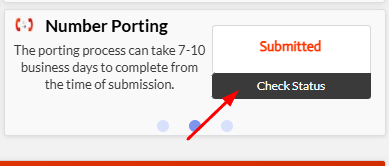
If you need further assistance, feel free to contact Voiply support.